
にゃんログ ヘルプnyanlog Help
困ったときはこちらから 🐱Need a hand? Start here 🐱
使い方やよくある質問をまとめています。Guides and frequently asked questions.

すべてのヘルプAll help topics
見たい項目をタップすると説明にジャンプします。Tap an item to jump to its section.
はじめかた(ログイン・うちの子を登録)Getting started (sign in & add your cat)
- メールアドレスを入力し、メールアドレスで続ける を押します。届く 6桁のコード を入力するとログイン完了です(パスワードは不要)。
- 初回の案内(オンボーディング)を進めると、そのまま うちの子の登録 に進みます(お名前・性別・品種・誕生日・写真など)。
- あとで猫を増やすときは 設定 → うちの子 の 追加 から。登録した子を押すと、内容をいつでも編集できます。
- Enter your email address and tap Continue with email. Enter the 6-digit code sent to you to finish (no password needed).
- Follow the intro (onboarding) and you'll go straight to adding your cat (name, sex, breed, birthday, photo).
- To add more cats later, tap Add under Settings → Your cats. Tap a cat to edit it anytime.
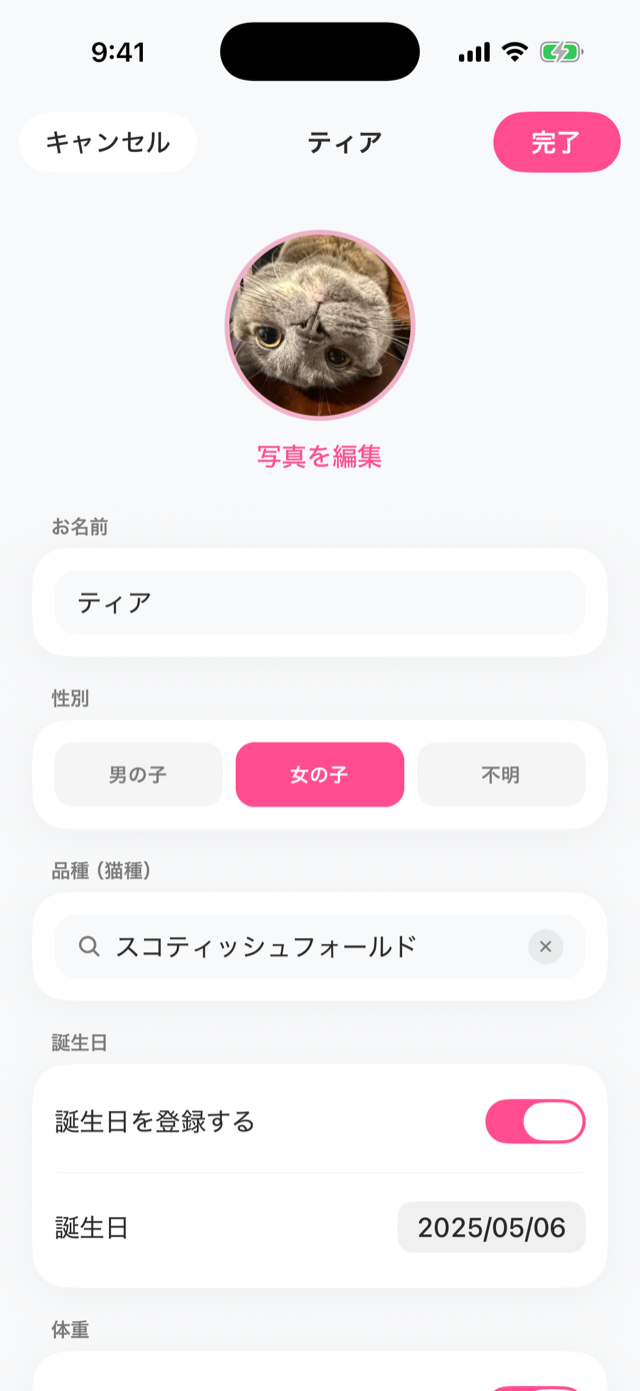
写真を投稿する(にゃう)Posting photos (Post)
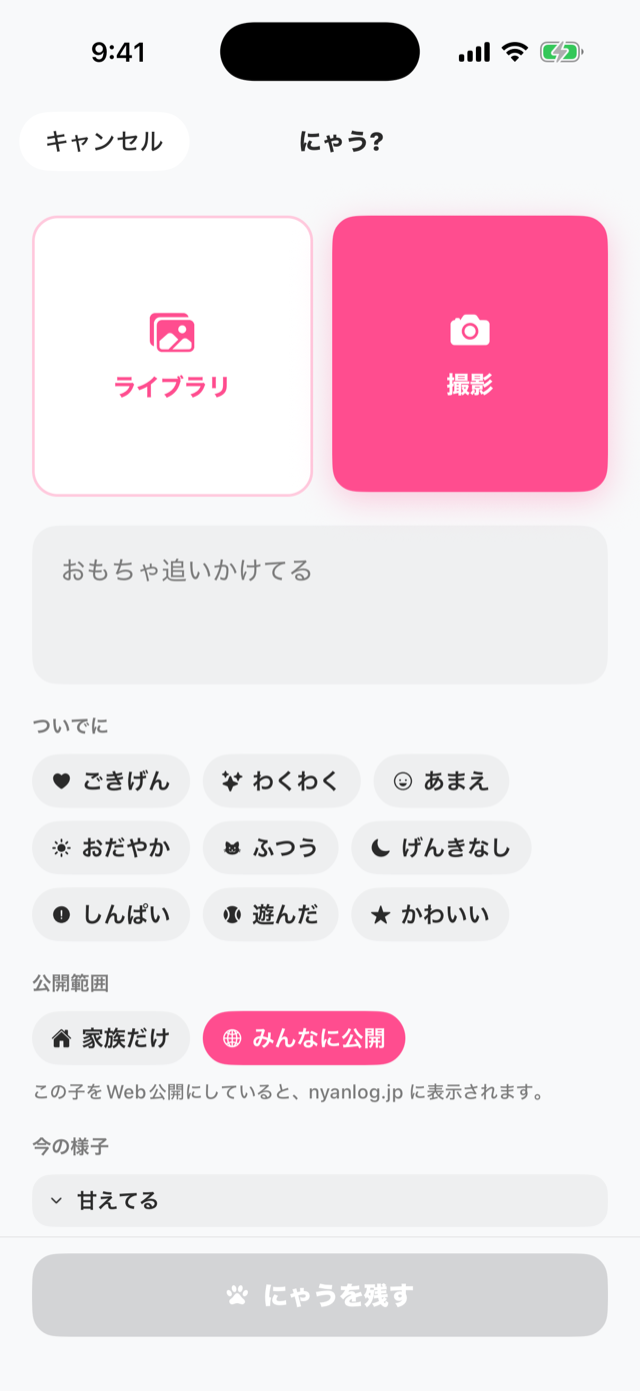
- 画面下の中央 にゃう ボタンを押します。
- 撮影 または ライブラリ で写真を選びます。
- ひとこと・気分(ついでに)・タグを付けられます(任意)。
- 下へスクロールして 公開範囲 を選びます(家族だけ=初期値 / みんなに公開)。
- にゃうを残す で保存します。
- Tap the center Post button at the bottom.
- Choose a photo with Camera or Library.
- Add a caption, mood, and tags (optional).
- Scroll down and choose the Visibility (Family only = default / Public).
- Tap Post to save.
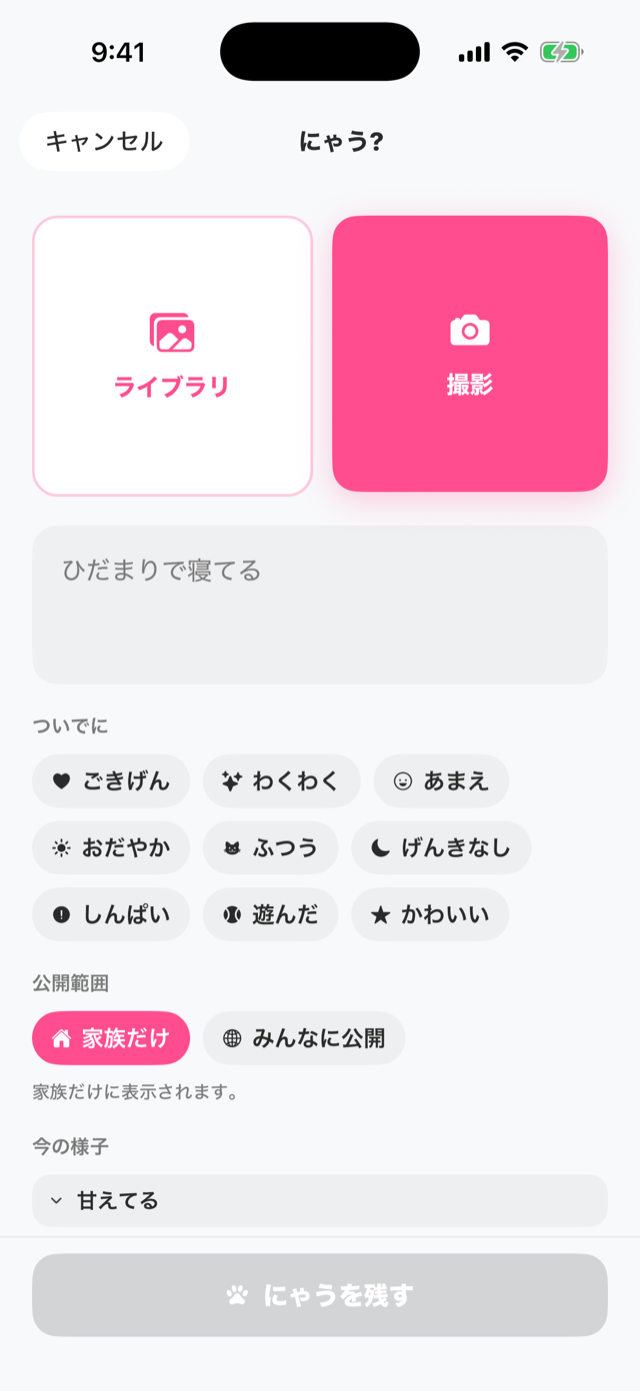
AI気持ち診断AI Mood Check
- 画面下の にゃん診断 タブを開きます。
- カメラで撮る または ライブラリから選ぶ と、AIが写真から読み取ります。
- 今の様子/猫のひとこと/おすすめのアクション/観察した特徴 が表示されます(診断後のことばは自分で編集も可能)。
- Open the AI Check tab at the bottom.
- Tap Take a photo or Choose from library, and the AI reads the photo.
- It shows what's going on / a word from your cat / suggested action / what we observed (you can edit the result yourself).
ふりかえりで見返すLooking back
- ホーム右上の ふりかえり を開きます。
- 記録した日には印が付きます。日付をタップするとその日の投稿を確認できます。
- 上部の 今月のしるし で、その月の記録の件数をまとめて見られます。
- Tap Look back at the top right of Home.
- Days you've logged are marked. Tap a date to see that day's posts.
- The summary at the top shows how many moments you logged this month.
記録がたまるほど、振り返りが楽しくなります。週のまとめや、記録が1冊になる 猫の日記帳 もここから開けます。The more you record, the more fun looking back becomes. Weekly recaps and your cat's diary book open from here too. 日記帳は 1冊の本(PDF) にもできます。You can also turn the diary into a book (PDF).
日記帳を1冊の本(PDF)にするTurning the diary into a book (PDF)ProPro
- ふりかえり の本棚で、日記帳の下の 本にする を押します(日記帳を読んでいる時は、下の本のボタンからも開けます)。
- 入れる月 と 表紙の写真 を選びます。家族のメモも入れたい時は 飼い主の記録も入れる をオンにします。
- ボタンを押すと本を作り始めます。画面を閉じても作り続け、できたら画面の上でお知らせします。
- 保存・送る から、ファイルに保存したり、印刷したり、家族に送ったりできます。
- On the Look back bookshelf, tap Make a book under the diary (while reading the diary, you can also use the book button at the bottom).
- Choose the Months to include and a Cover photo. Turn on Include owner notes to add your family's notes.
- Tap the button to start. It keeps going even if you close the screen, and lets you know at the top when it's ready.
- Use Save / Send to save the file, print it, or share it with family.
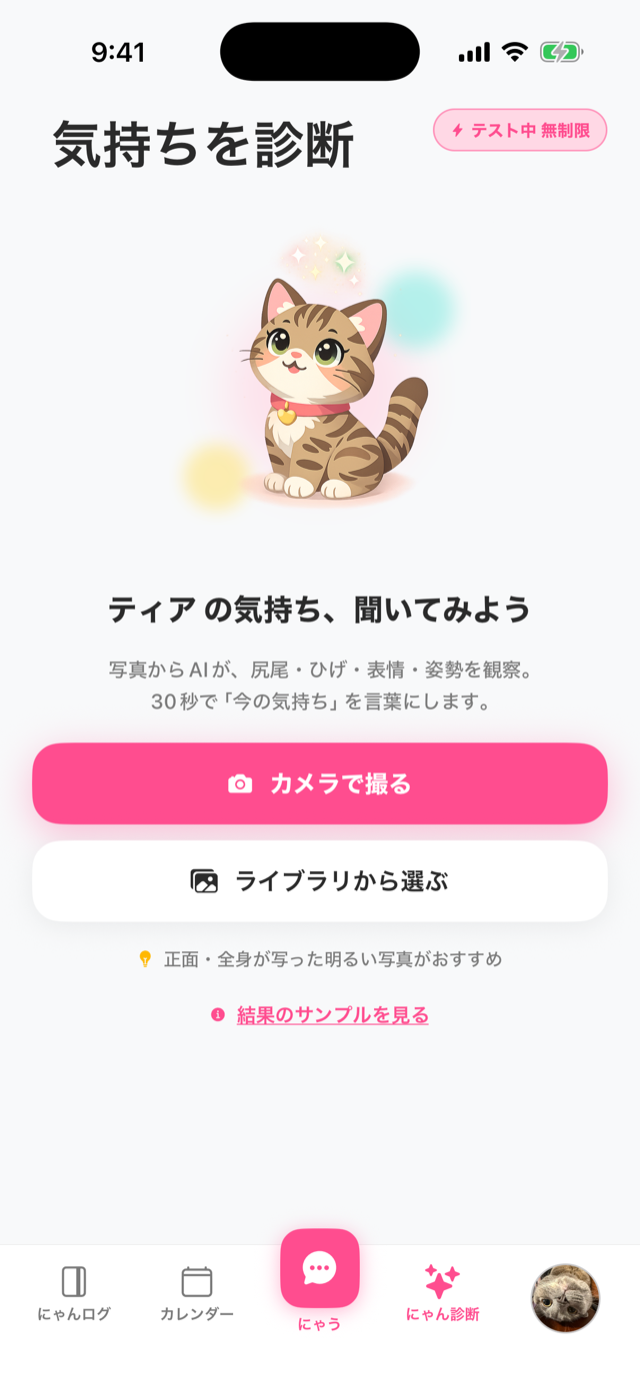
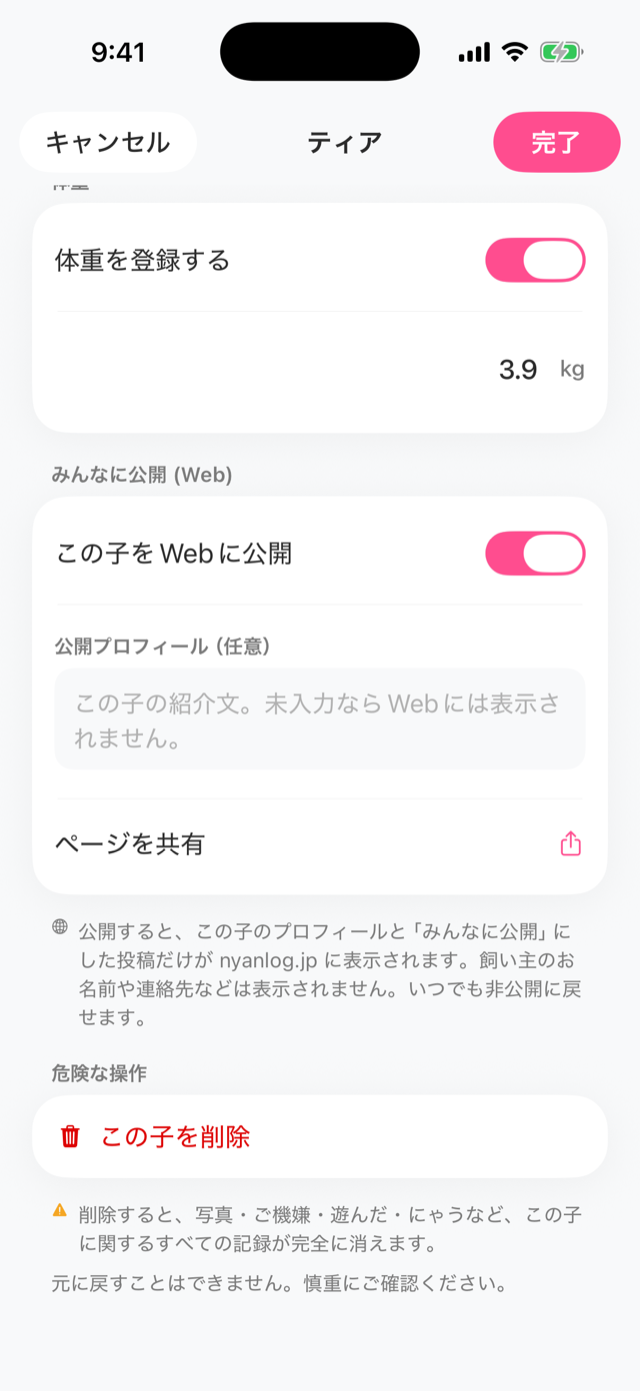
Webで自分の猫を公開するPublishing your cat on the web任意optional
にゃんログの猫は初期状態では 非公開(家族だけ) です。公開すると nyanlog.jp で他のユーザーがあなたの猫を見られるようになります。By default your cat is private (family only). When you make it public, others can see your cat on nyanlog.jp.
- 猫の プロフィール(編集)画面 を開きます(設定 → うちの子 から猫を選ぶ)。
- みんなに公開 (Web) の この子をWebに公開 をONにします。
- 必要なら 公開プロフィール(任意) に紹介文を入力します(未入力ならWebには表示されません)。
- 投稿もWebに出したい場合は、その投稿の 公開範囲 を みんなに公開 にします。
- Open your cat's profile (edit) screen (choose the cat under Settings → Your cats).
- Turn on Publish this cat on the web under Public (Web).
- Optionally add an intro in Public profile (optional) (not shown on the web if left empty).
- To show posts on the web, set that post's Visibility to Public.
見守りWatch
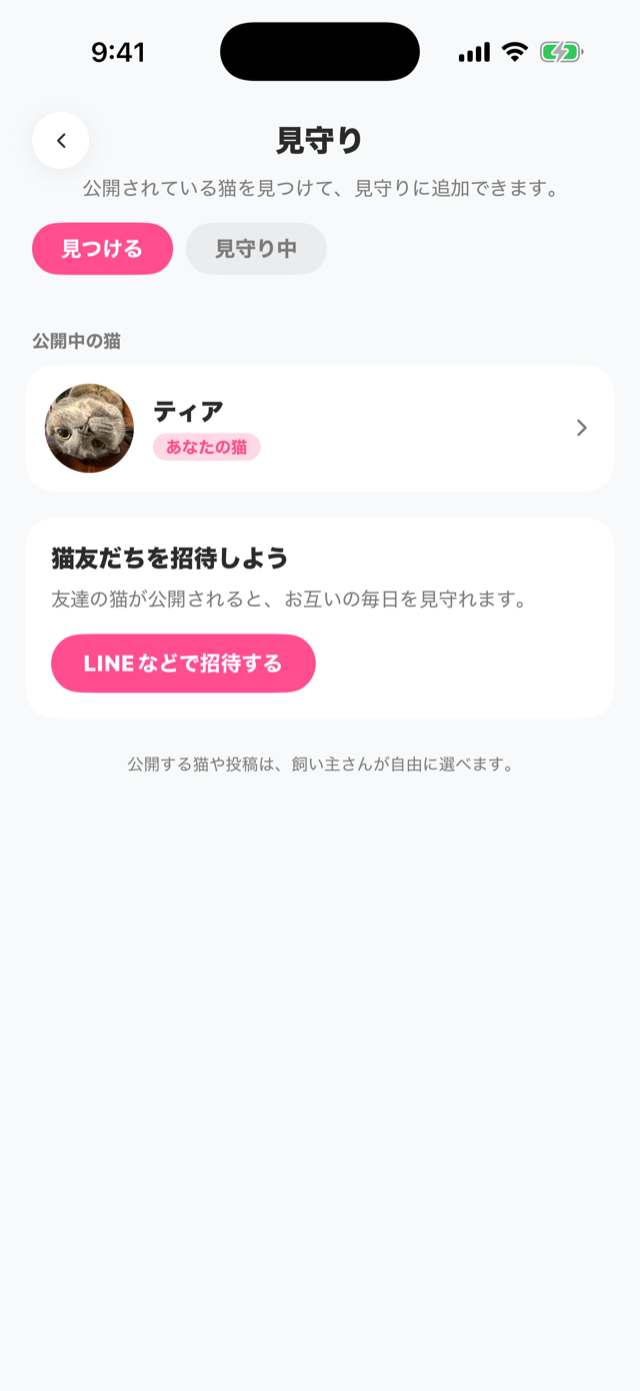
見守りは、気になる公開猫を登録して、その子の投稿を追える「推し活」機能です。Watch lets you follow public cats you like and keep up with their posts.
- 下のタブの 見守り を開き、右上の 見つける で公開されている猫を探して、気になる子を見守りに追加します。
- 見守り タブに、見守っている猫の公開投稿が並びます。公開投稿には 「かわいい」 を送れます。
- 自分の猫の公開設定と、何人が見守っているかは、設定 → あなたの猫の公開と見守り で確認できます。
- Open the Watch tab and tap Find at the top right to discover public cats, then add the ones you like.
- The Watch tab shows the public posts of cats you follow. You can send Cute on public posts.
- To check your own cats' public settings and how many people watch them, open Settings → Your cats: public and watchers.
家族で共有するSharing with family
- 設定 → 家族で記録 から、リンクで家族を招待します。
- 招待した家族と 同じ猫の記録を一緒に 残せます。写真もリアルタイムに同期されます。
- 家族どうしで、投稿に コメント・スタンプ・「かわいい」 を送り合えます(スタンプは「かわいい!」「大好き♡」「ありがとう」などのかわいいリアクションと、うちの子の写真から作る うちの子スタンプ)。
- Invite family with a link from Settings → Family.
- You can keep the same cat's records together. Photos sync in real time.
- Family members can send each other comments, stamps, and Cute on posts (stamps are cute reactions like "Kawaii!", "Daisuki♡", and "Arigato", plus cat stickers made from your cat's photos).
うちの子スタンプCat stickers
うちの子の写真から、コメントで使えるスタンプを作れます。作ったスタンプは家族みんなで使えます。Make stickers from your cat's photos and use them in comments. Your whole family can use them.
- 記録の詳細を開き、コメント欄の右の 顔のボタン を押すと、スタンプ欄が開きます。
- スタンプ欄の右上の + を押して、写真を選びます(猫のページの「うちの子スタンプ」からも作れます)。
- 猫が自動で切り抜かれます。はみ出した所は 消しゴム で直し、文字・吹き出し・かざりでデコレーションして保存します。
- スタンプ欄でスタンプを押すと大きく表示され、もう一度押すと送れます。
- Open a record's detail screen and tap the face button at the right of the comment box to open the sticker panel.
- Tap + at the top right of the sticker panel and pick a photo (you can also start from "Cat stickers" on your cat's page).
- Your cat is cut out automatically. Fix any edges with the Eraser, decorate with words, speech bubbles and decorations, then save.
- Tap a sticker in the panel to preview it, then tap it again to send.
きろくカードRecord card
記録した日に、スタンプが1つたまります。たまるほど、うちの子のアイコンを飾るフレームや、にゃんトリップの旅のチケットなど、ごほうびが届きます。Each day you record adds a stamp. The more you collect, the more rewards you get, like frames to decorate your cat's icon and trip tickets for Nyan Trip.
- にゃんログ(ホーム)の左上の 肉球 を押すと、今月のきろくカードが開きます。新しい月や、まだ見ていないごほうびがあると NEW が付きます。
- 記録すると、その日のスタンプが押されます。カードは毎月1日に新しくなります。
- カードの見出しの ? を押すと、今月のごほうびが見られます。
- もらったフレームは、カードのマスを押すか、猫のプロフィールの フレーム から付けられます。付けたフレームは、家族と見守りの人にも見えます。
- その月に5日記録すると、季節のカード(12月はクリスマスと年賀状)が作れます。うちの子の誕生日にはバースデーカードも。作ったカードは記録に残せます。
- Tap the paw at the top left of the Log (home) tab to open this month's record card. It shows NEW when a new month starts or a reward is waiting.
- Each day you record, that day's stamp is added. A new card starts on the 1st of every month.
- Tap ? next to the card's title to see this month's rewards.
- Put on a frame you've received by tapping its square on the card, or from Frame in your cat's profile. Your family and watchers can see it too.
- Record on 5 days in a month to make a seasonal card (Christmas and New Year in December), plus a birthday card on your cat's birthday. You can keep the cards you make as records.
Pro(有料プラン)Pro (paid plan)
Proにすると、AI診断の回数や登録できる猫・家族の人数が増え、便利な機能が使えます。With Pro you get more AI checks, more cats and family members, and handy extra features.
| できること | 無料 | Pro |
|---|---|---|
| AI気持ち診断(1日) | 2回 | 24回 |
| AI写真消去(不要な物を消す・月) | — | 10枚 |
| 猫の登録数 | 2匹 | 何匹でも |
| 家族の人数 | 2人 | 6人 |
| 月次にゃんレポート | — | 毎月 |
| うちの子スタンプ | 3個 | 1にゃん12個 |
| 覚えたことを猫のひとことに | — | ○ |
| にゃんトリップ(月) | 1枚(3日記録で) | 10枚 |
| 季節の着せかえ(月) | — | にゃんトリップと合わせて10回 |
| きろくカードのフレーム | 記録でもらえる | きらきら動く・Pro限定のリボンも |
| What you get | Free | Pro |
|---|---|---|
| AI Mood Check (per day) | 2 | 24 |
| AI photo cleanup (remove objects, per month) | — | 10 |
| Cats you can register | 2 | Unlimited |
| Family members | 2 | 6 |
| Monthly report | — | Monthly |
| Cat stickers | 3 | 12 per cat |
| What AI remembers in your cat's lines | — | ✓ |
| Nyan Trip (per month) | 1 (log on 3 days) | 10 |
| Seasonal costumes (per month) | — | 10, shared with Nyan Trip |
| Record card frames | Earned by recording | Animated, plus Pro-only ribbons |
料金・プランの詳細や登録は、アプリ内の 設定 → にゃんログ Pro からご確認いただけます(月額・年額プラン)。See plans and subscribe from Settings → nyanlog Pro in the app (monthly or yearly).